Codee3 vs Cursor
Both are code editors with AI. They differ in who supplies the AI, which systems they run on, and how they handle several agents at once.
 CursorAI code editor · its own AI plans
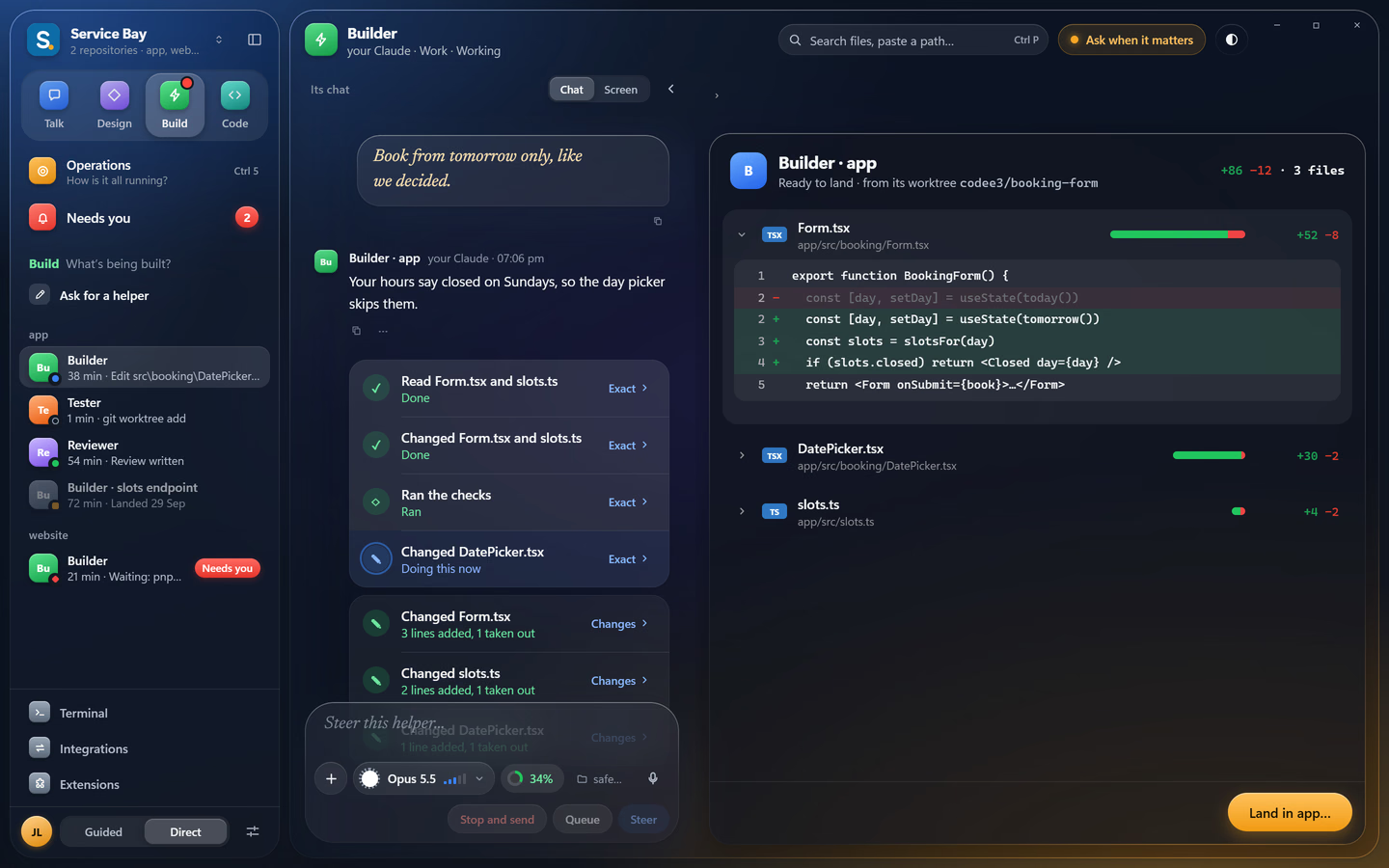
Cursor is an AI code editor that sells its own AI plans. Codee3 is a Windows IDE that runs the agents you already pay for: Claude Code, Codex and Gemini CLI. Pick Cursor if you want one AI plan built in. Pick Codee3 if you want your own subscriptions, a project brain every agent reads and, with Founder, an orchestrator that runs several agents at once.
Cursor planAI modelsCursor suits you if
you want one subscription that includes the AI, you work on a Mac or Linux today, or you mostly want strong autocomplete while you type.
Codee3 suits you if
you already pay for Claude, ChatGPT or Google AI, you work on Windows, and you want several agents on one project without them undoing each other's work (Founder).
Try it on the same project. Nothing moves.
Codee3 opens your folder as it is. Your files and git history don't change, so you can keep Cursor installed and compare.
- 01Install Codee3 next to CursorBoth can stay installed.
- 02Open the same folderNothing is converted or moved.
- 03Sign in to Claude Code, Codex or Gemini CLIWith the account you already pay for.