Download Codee3
One 13.7 MB installer for Windows 10 and 11. Nothing about how you use it is sent anywhere.
Windows10 / 11 · x64YOUR SYSTEM
Download .exe · 13.7 MBBy downloading you agree to the Codee3 Free Licence. The privacy notice says what it sends.
macOScoming laterYOUR SYSTEM
Your address and the system you asked about are emailed to us through Resend. See the privacy notice.
Linuxcoming laterYOUR SYSTEM
Your address and the system you asked about are emailed to us through Resend. See the privacy notice.
Windows 11
Windows 10
x6464-bit (x64)
gitGit for Windows
One agent, installed: Claude Code · Codex · Gemini CLI
If Windows warns you
Choose More info, then Run anyway.
The installer isn’t code-signed yet, so SmartScreen doesn’t recognise it. Check the fingerprint above first if you like.
Windows protected your PCMicrosoft Defender SmartScreen prevented an unrecognised app from starting. Running this app might put your PC at risk.More infoApp: codee3-ide-free-setup-0.2.7.exe · Publisher: Unknown publisher
Run anywayDon't run
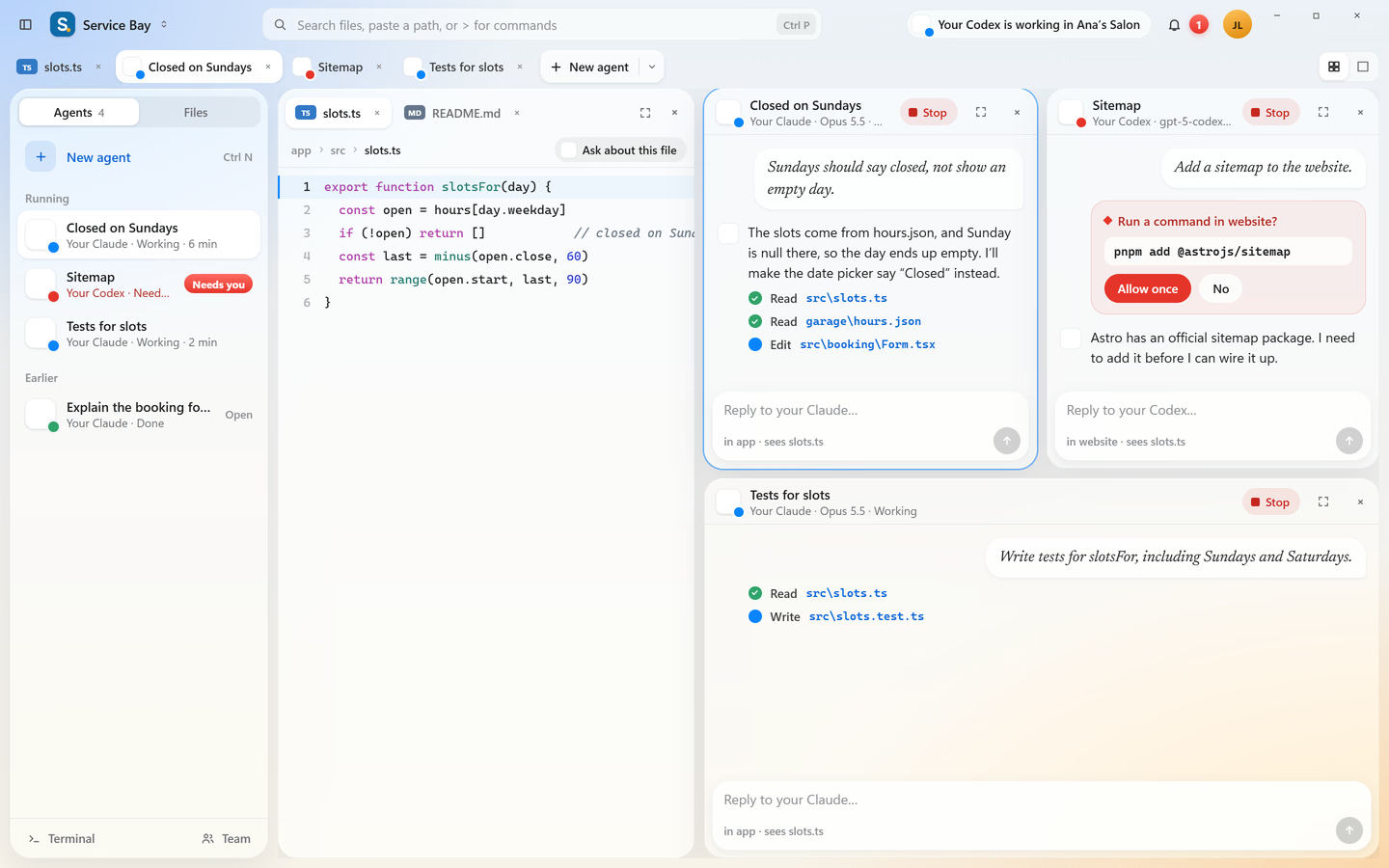
What you'll see first. Open a folder on the left, your agent chats on the right.
After you install
01Run the installerOpen codee3-ide-free-setup-0.2.7.exe from Downloads.
02Open a folderPick a project. Your files and git history stay as they are.
03Sign in to your agentClaude Code, Codex or Gemini CLI, with your own account.
04Find anythingSearch files by name, or paste a path with a line number.CtrlP