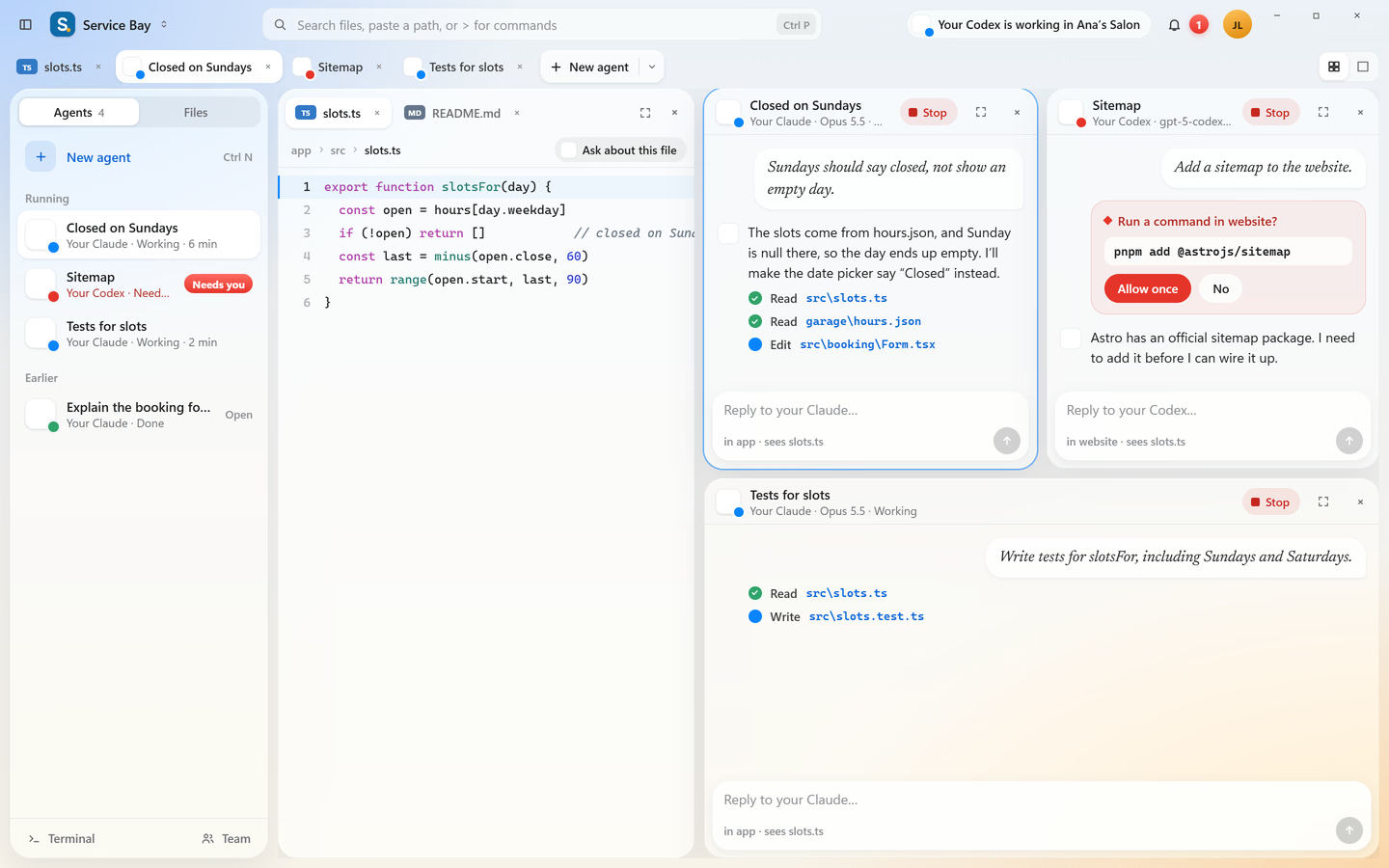
A Cursor alternative for Windows that uses your own Claude, ChatGPT or Google AI plan
Codee3 runs Claude Code, Codex and Gemini CLI on the subscriptions you already pay for, in an IDE made for Windows. Here is what changes if you switch, and what doesn’t.
 CursorAI code editor · its own AI plans
Codee3 is a Cursor alternative for Windows that uses the Claude subscription, ChatGPT plan or Google AI plan you already pay for, through Claude Code, Codex and Gemini CLI. It’s free for two projects open at a time. Cursor sells its own AI plans, and its API-key page lists provider keys, not Claude or ChatGPT plans.
Cursor planAI modelsCan Cursor use my Claude subscription?
Not as a plan, going by Cursor’s own pages. They describe two ways to pay for AI: one of Cursor’s plans, or an API key you bring from OpenAI, Anthropic, Google, Azure or AWS Bedrock. With your own key, your provider bills you for the model cost, the key works only for chat models, and Tab completion stays on Cursor’s models. Neither its pricing page nor its API-key page mentions signing in with a Claude Pro or Max plan, or a ChatGPT plan. Those plans are what Claude Code and Codex sign in with. Codee3 runs Claude Code, Codex and Gemini CLI as they are, so the plan you already pay for is the one your agents use. You pay each AI company directly, and Codee3 charges only for the IDE.
Cursor suits you if
you want one subscription that includes the AI, you work on a Mac, on Linux or on an ARM64 Windows PC today, or you mostly want strong autocomplete while you type.
Codee3 suits you if
you already pay for Claude, ChatGPT or Google AI, you work on Windows, and you want your agents beside your code, with several on one project at once when you’re ready (Founder).
How several agents share a project →See pricing →Keep Cursor while you try it.
Codee3 opens your folder as it is. Your files and git history don't change, so you can run one real task in each and compare.
- 01Install Codee3 next to CursorBoth can stay installed. Codee3 is one 13.7 MB installer for Windows 10 and 11.
- 02Install the agent you already pay forClaude Code, Codex or Gemini CLI, signed in with your own account.
- 03Open the same folderNothing is converted or moved, and your git history doesn’t change.